
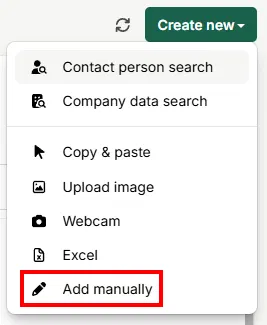
- Click on Create new.
- Select Add manually.
- Now you can fill in the fields manually.
Once saved, the new contact appears immediately in the contact person list and can then be exported to the CRM system just like any other record. Adding a contact manually is ideal when only a few details are available – for complete records, snapAddy LeadResearch also offers the contact person search and company data search.
Related articles:
- How does the contact person search work?
- How do I complete the contact person data in snapAddy LeadResearch?
- How can I use the Excel import in snapAddy LeadResearch?
- How can I export contact data to my CRM?