-
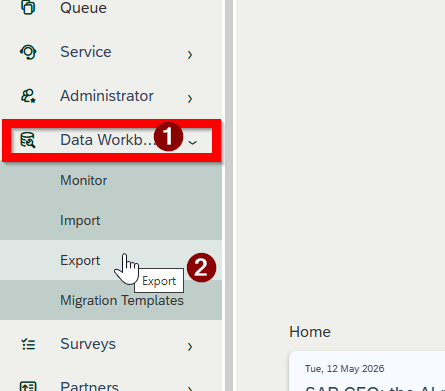
Navigate to the Data Workbench work center.
-
Select the Export view.
-
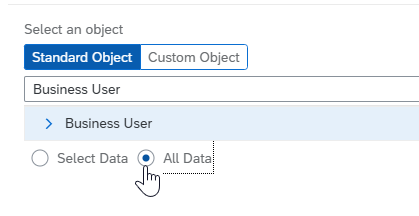
Choose Standard Objects.
-
Search for and select Business User.
-
Select "All Data" and "Next" at the bottom right.
-
Click "Export Data". The system will generate a CSV file in the "Monitor" tab
English
