
The Error Scenario
When attempting to connect snapAddy to Salesforce, you may encounter the error message:
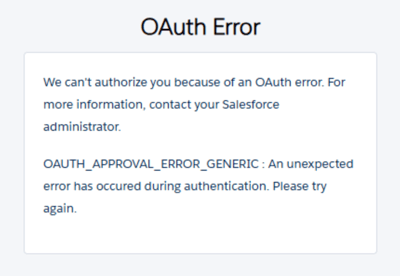
This error message occurs when the snapAddy Connected app has not yet been installed or shared by an administrator in your Salesforce organization. The connection attempt is blocked by Salesforce because the application has not yet been classified as trustworthy.
How can I resolve the OAuth error?
Note: The steps to resolve this error must be performed by a Salesforce administrator.
If you receive an OAuth error when attempting to connect snapAddy to Salesforce, there can be two causes:
Cause 1: Connected App not installed
Typically, the error occurs because the snapAddy Connected App has not yet been installed in your Salesforce environment.
Solution: Installation of the snapAddy Connected App by a Salesforce administrator is required. This process only needs to be performed once and subsequently allows all users in your organization to seamlessly connect snapAddy to Salesforce. Thanks to snapAddy's proven integration capabilities, you can access all features seamlessly after successful installation.
You can find a detailed step-by-step installation guide in our dedicated article:
How do I install the snapAddy Connected App in Salesforce?
Cause 2: Salesforce SSO is used but has not yet been authorized
If your organization uses Salesforce Single Sign-On (SSO), the OAuth error can also occur if no administrator has performed the initial authorization yet.
Solution: A Salesforce administrator must log in to snapAddy with Salesforce SSO once and click "Allow" on the authorization screen. This approves the connection for the entire organization. After this one-time authorization, all users can log in to snapAddy using Salesforce SSO without any issues.
If you have more questions, feel free to contact our support under support@snapaddy.com or your Customer Success Manager