
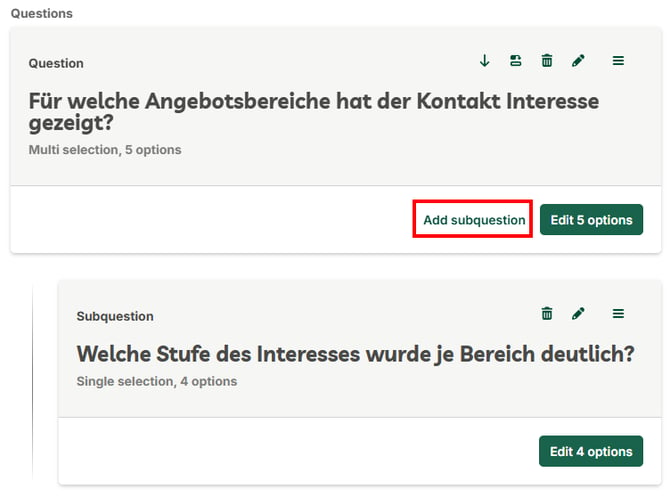
A subquestion is a follow-up question that belongs to a parent question. It lets you dig deeper into one aspect without overloading the main question. In the example, the question "Fuer welche Angebotsbereiche hat der Kontakt Interesse gezeigt?" is followed by the subquestion "Welche Stufe des Interesses wurde je Bereich deutlich?".
Add a subquestion
- Open the Questions area of the questionnaire and select the parent question.
- On that question, click Add subquestion.
- Set the subquestion's question type (for example Single selection or Multi selection) and its answer options, just like for a regular question. Use Edit options to adjust the choices.
The subquestion then appears as its own block below the related question and can be edited, moved, or deleted like any question (icons in the top right of the block).
Tip: A subquestion has its own question type and its own answer options, independent of the parent question.
If you have any further questions, please feel free to contact support@snapaddy.com or your Customer Success Manager.