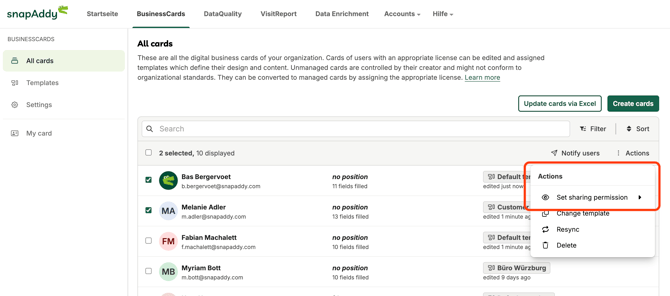
Admins and BusinessCards Manager can allow users to share their digital buiness cards inside the organization.
Step 1:
Go to the snapAddy Dashbaord and the BusinessCards "Card manangement".
Step 2:
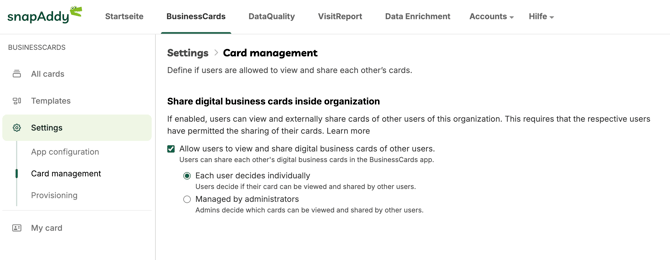
Enable card sharing
When activated, users can access and share colleagues’ digital business cards within the BusinessCards app. Admins and Manager can set up the sharing of business cards inside the Card Management.
Your options
-
Each user decides individually
Users control whether their own card can be viewed and shared by others. -
Managed by administrators
Admins decide which cards can be viewed and shared across the organization.
Set up the sharing permission
Admins and BuisnessCards Manager can set the sharing permission of users cards inside the "All cards" table.