Keep track of all completed reports from your event. The table displays all records transferred from the VisitReport app to the dashboard.
With flexible filter and column settings, you can customize the view according to your use case. Intelligent duplicate detection, custom filters, and direct export to the CRM system or marketing automation make post-processing quick and efficient.
Freely configurable view
Filters.
Find relevant reports with flexible filtering options, e.g., by creator or specific answers to questions. Filters you set are saved and reapplied the next time.
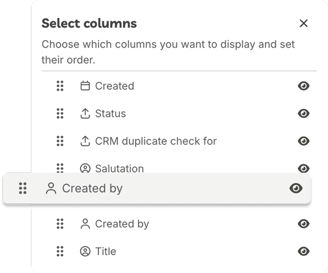
Columns.
Customize the table view: change the order and width of columns and display only the information you currently need.
Smart duplicate check
The duplicate check shows whether a recorded contact already exists in your CRM system. You can identify which CRM entities (e.g. leads, contacts, or accounts) already exist by the icons. Based on this information, you can update existing records or create new entries with confidence.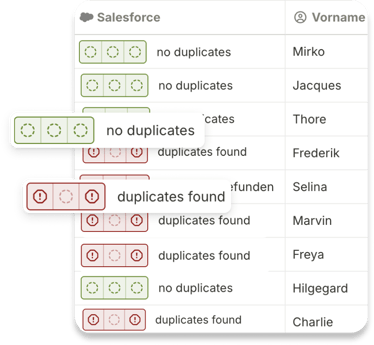
Interactions.
Process individual or multiple reports simultaneously with the available actions.
Export.
Direct transfer to marketing automation or CRM systems (Salesforce, HubSpot, SAP, Pipedrive, and others).
Workflows
Send reports to VisitReport workflows for individual processing, enrichment, and export.
Duplicate detection
See at a glance whether a recorded contact already exists in your CRM system.
Download
Download reports as PDF or Excel files. Additionally, export VCards and attachments of the report.
Follow-up emails
Send follow-up emails to the recorded contacts.
Status
See completed follow-up steps at a glance.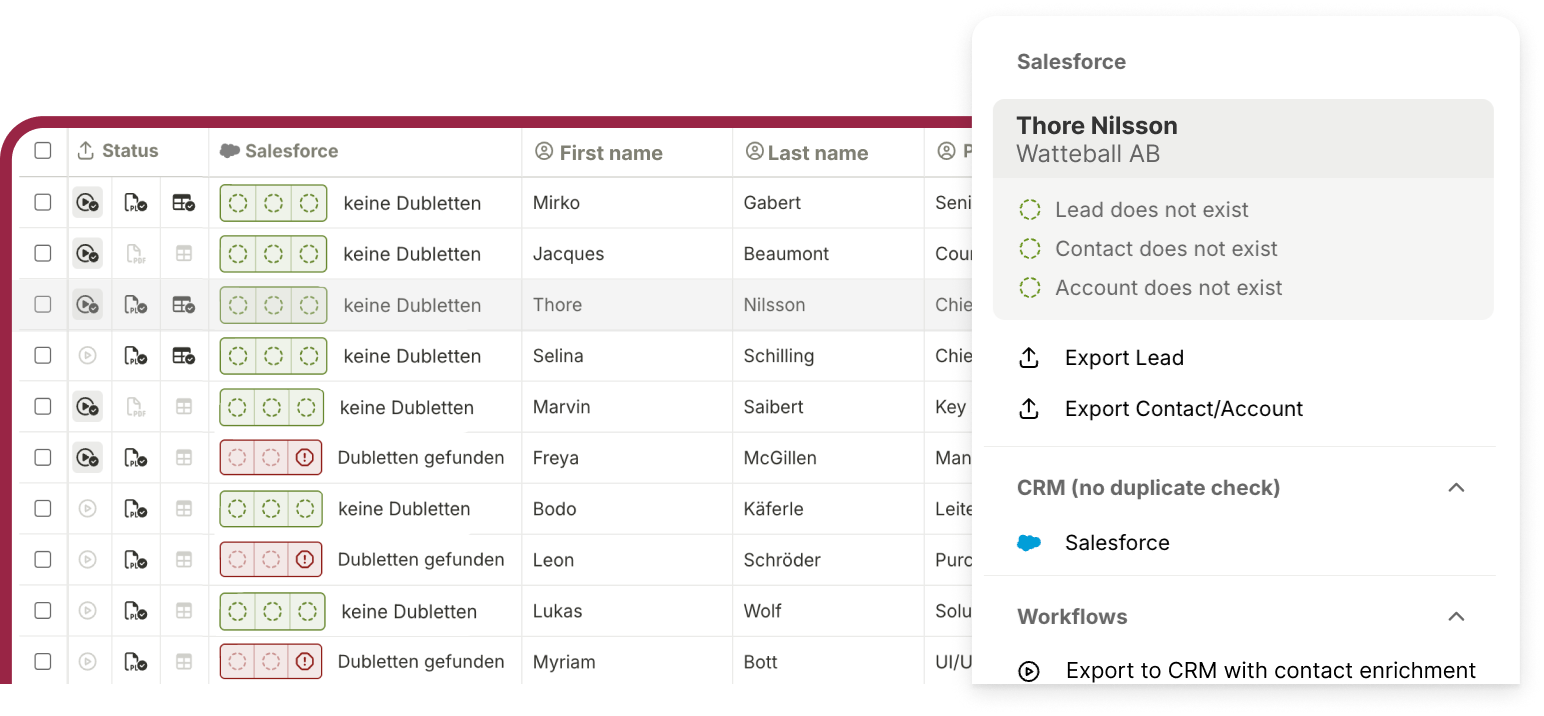
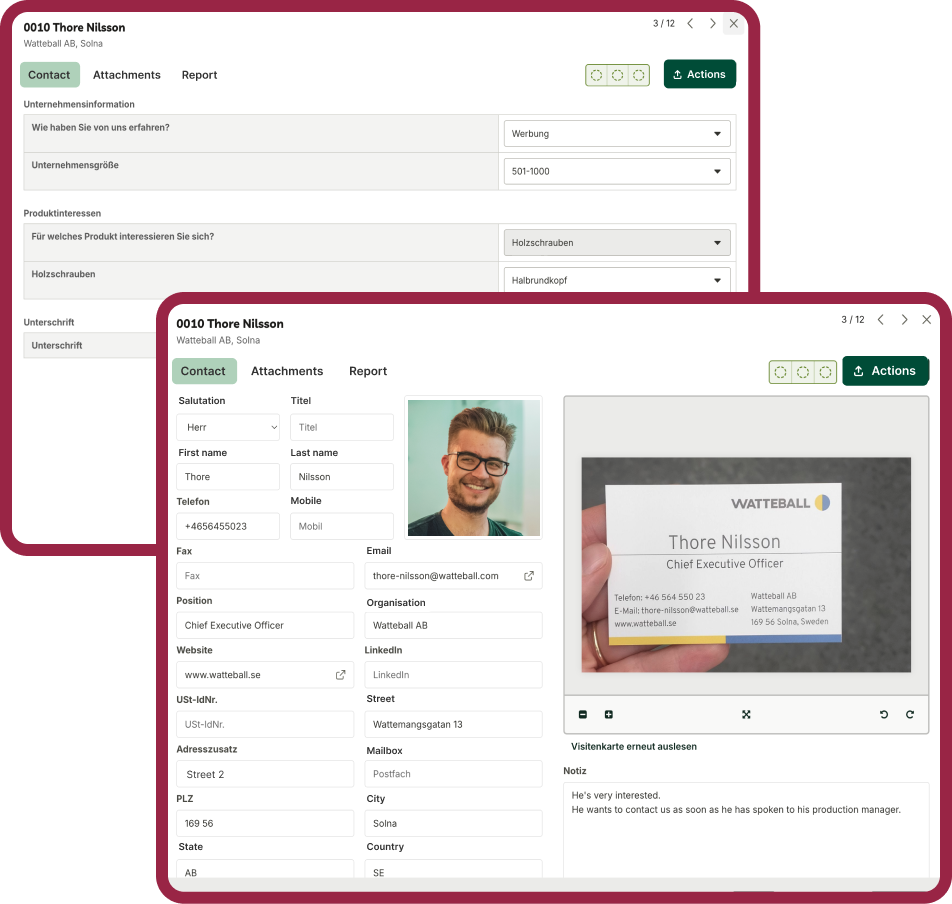
Detailed view of your report
In the detailed view, you can see all recorded information about a report – including contact details and responses from the questionnaire. If necessary, you can edit data or add additional information.